iAssistance

Making AI feel human and accessible through intuitive design and brand-aligned control

The problem

Many business owners lose sales because they cannot stay online 24/7 to answer WhatsApp or Instagram messages. My goal was to create an AI tool that helps them without being intimidating. It had to be simple for people who don’t work in tech but want to stop losing customers.

Research & Insights

I talked to business owners between 30 and 60 years old. I noticed that, even though they want to use AI to stay competitive, they are afraid of losing control. They feel that AI is a complex world that can be overwhelming, and they worry the bot might give a wrong answer and hurt their reputation.

Design Decisions

Control

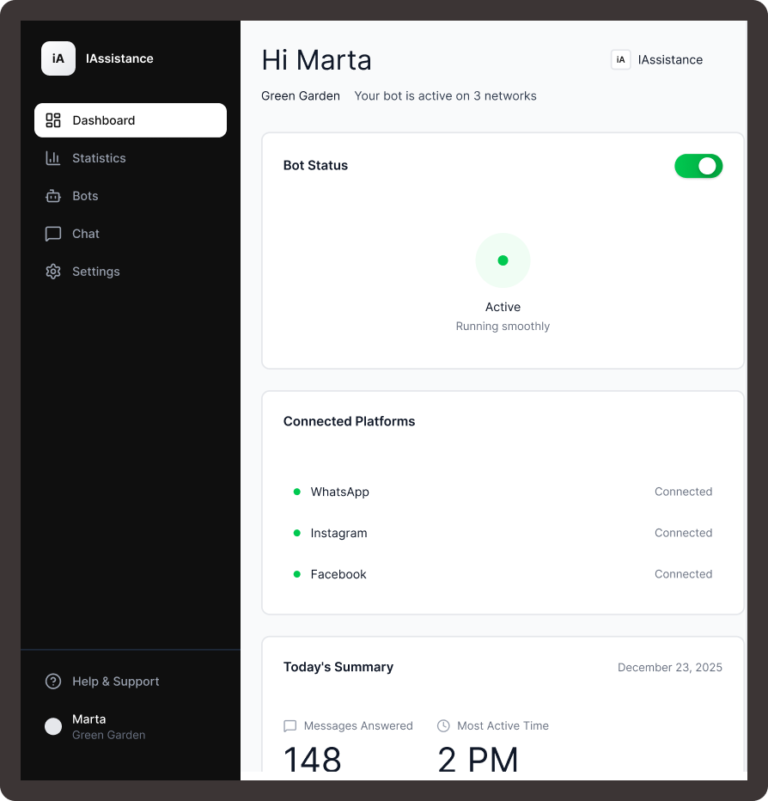
To give users instant control. A simple toggle switches the AI on or off. This interaction is designed to build trust and transparency between the business owner and the automation.

Easy Language

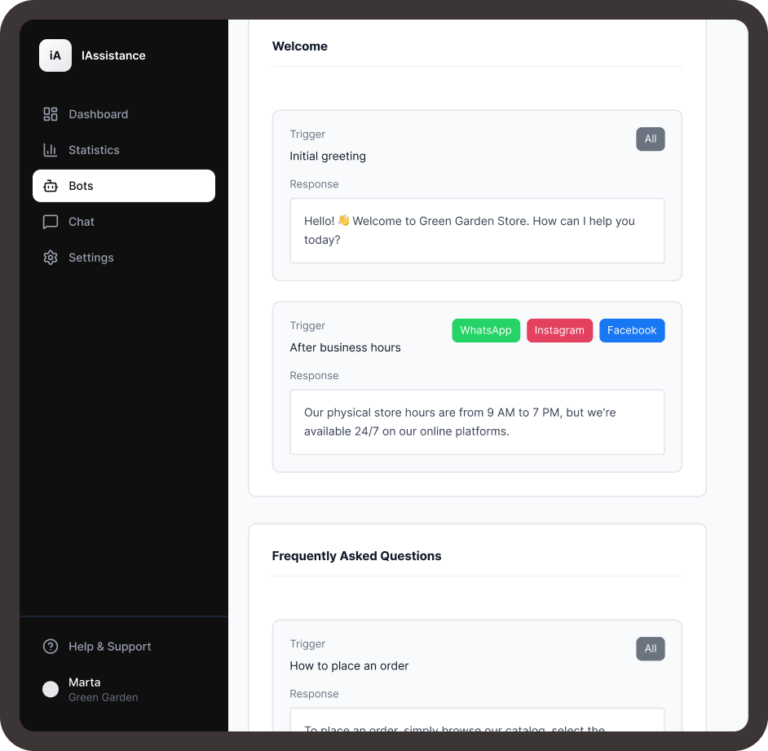
I replaced complex AI terms with a Natural Language interface. Instead of configuring algorithms

Clear Information

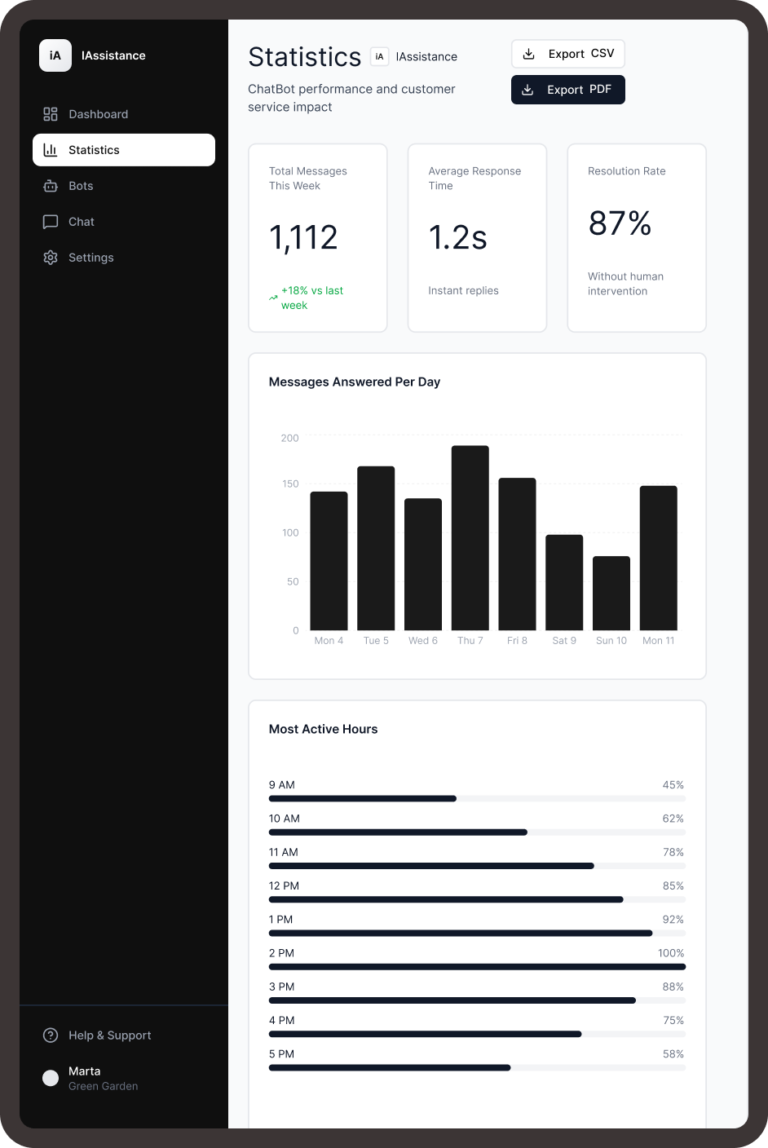
I created easy-to-read statistic screens so they can see peak hours and frequent questions without dealing with complicated charts.

Results & Learning

Accessibility for everyone

I made sure the website is easy to read, with clear fonts and large buttons. I specially considered older users who might use the app on their phones in a busy or bright environment.

From Anxiety to Confidence:

The biggest achievement was turning a scary technology like AI into a friendly assistant. Users went from feeling stressed to feeling that they have a tool that saves them hours of work.

My Takeaway:

This project taught me that the best technology is not the one with the most features, but the one that is easiest to understand. I learned to prioritize the user’s peace of mind over visual decorations.
Interactive Prototype 

Test the user flow and see the full design of the iAssistance platform below.